A macOS app for Apple Photos
Camera Shelf reads the camera and lens out of every photo you own and stands your gear on a shelf. Click a body to see only its pictures. Click a lens to narrow it further. Thirty years of shooting, sorted by the thing in your hands.
macOS · Reads your library, never changes it · Private beta
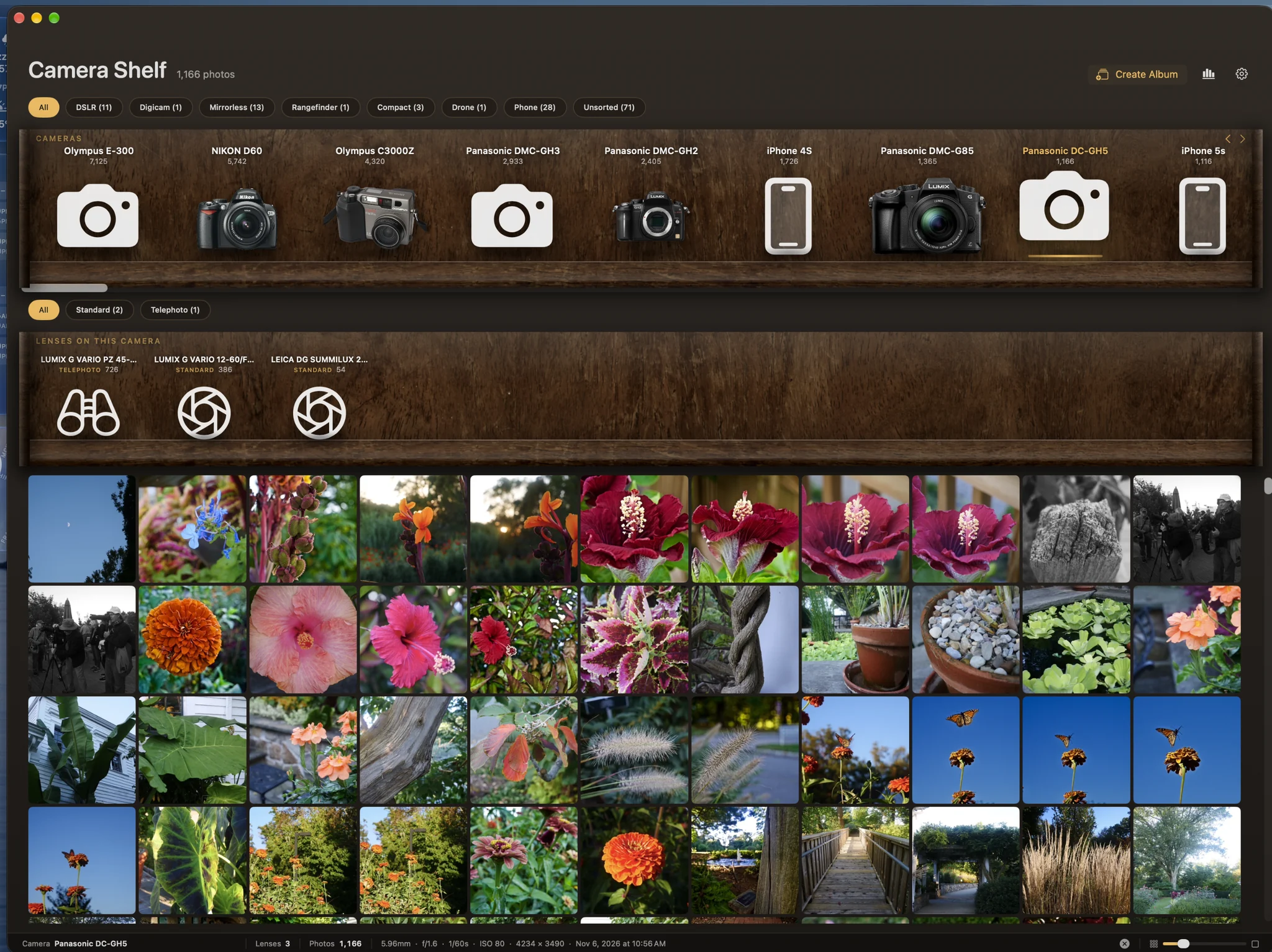
Every folder-based library asks you to remember when you shot something. Camera Shelf asks what you shot it with — and shows you the camera, not its name in a list.
The grid narrows to that body. Click it again to clear. ⌘-click to put several on at once.
Pick a camera and the lenses you used on it stand up on the shelf below, each with a count.
Capsules across the top cut the shelf down to DSLRs, rangefinders, drones, phones — or wide, telephoto, macro.
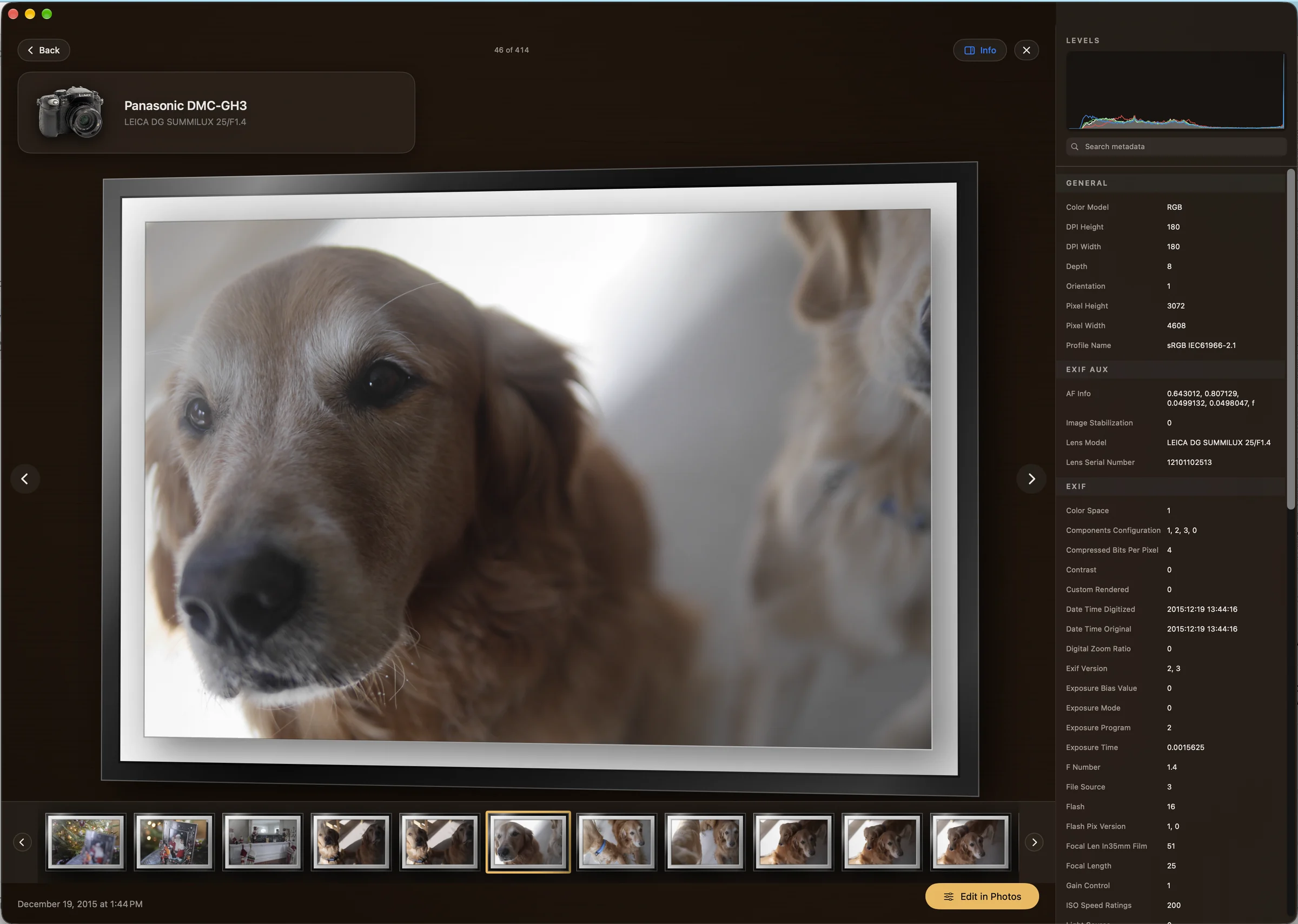
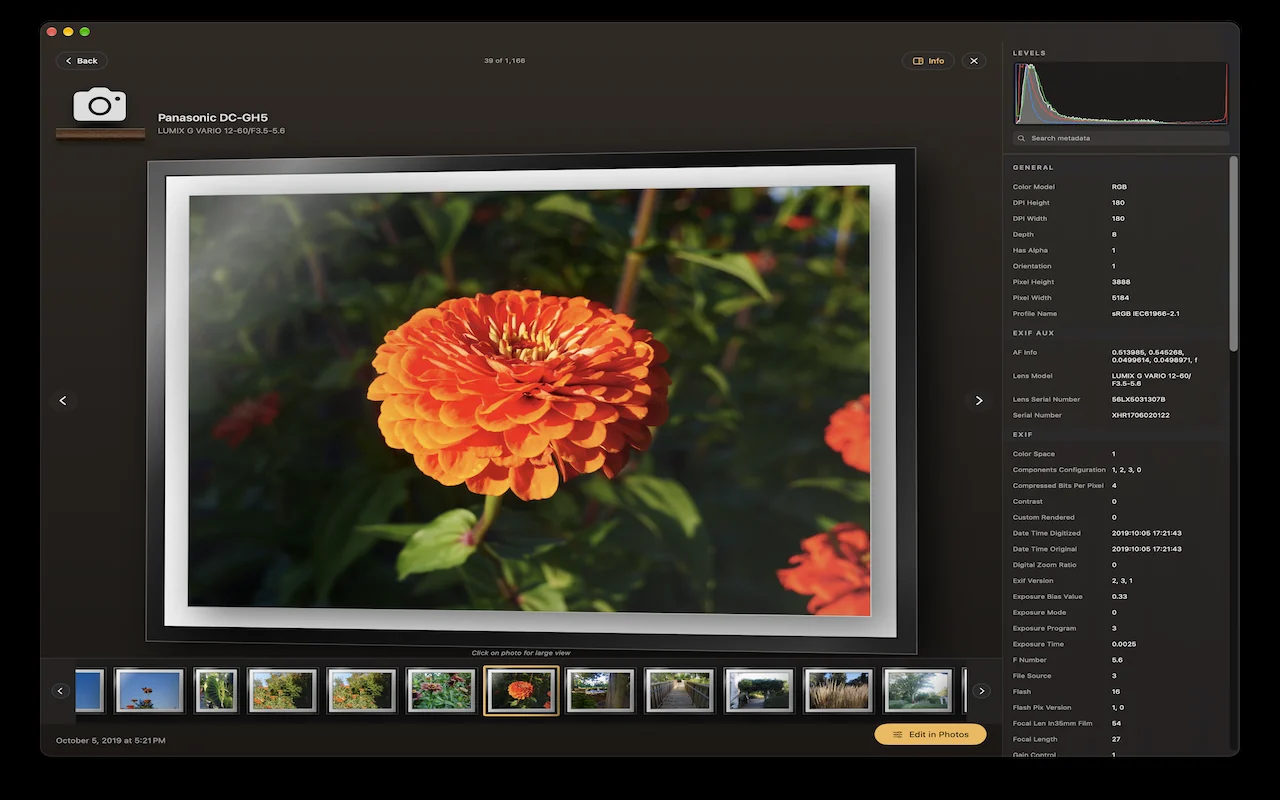
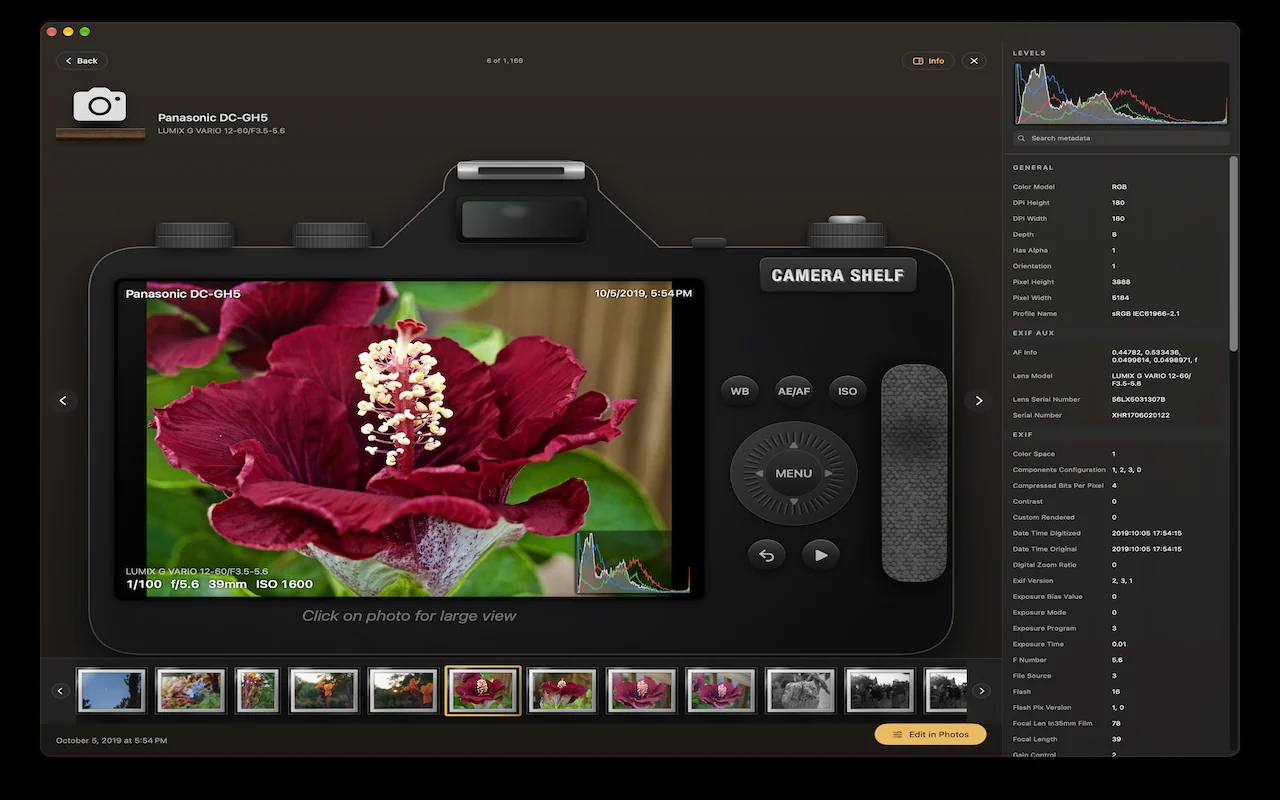
Open a photo and it hangs in a black gallery frame with a white mat, lit from the upper left and tilted a few degrees off the wall. Or put it on the back of a camera — a drawn body with a working LCD, your shooting settings along the bottom and a live histogram in the corner. Click the photo either way and it flies out to fill the screen.
Insights & Analytics
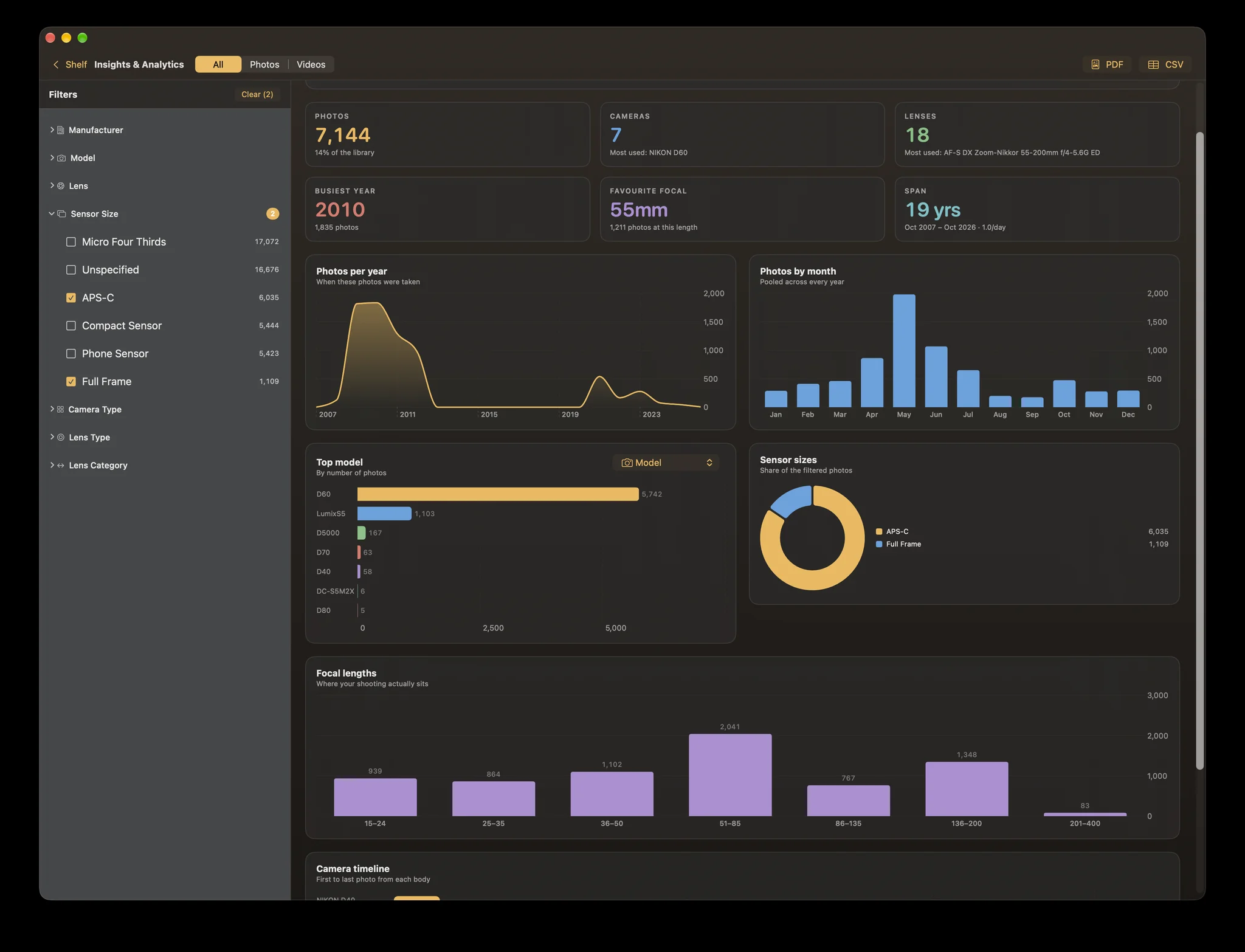
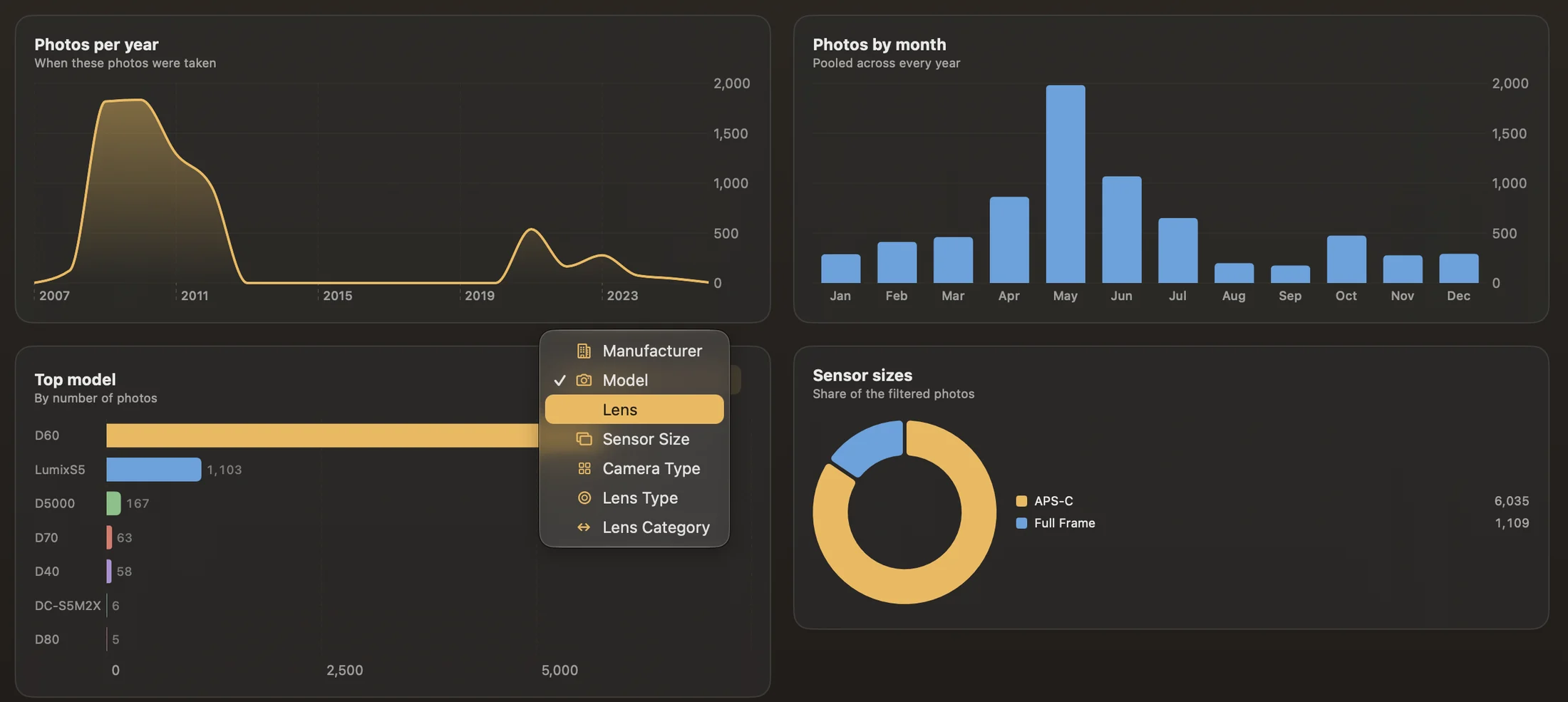
A dashboard over the whole library: how much you shot each year, which months you actually go out, the bodies and lenses that earned their keep, your sensor mix, and where your focal lengths really sit. Filter by manufacturer, model, lens, sensor size or category and every figure follows. Export the view as a PDF, or the rows as CSV.
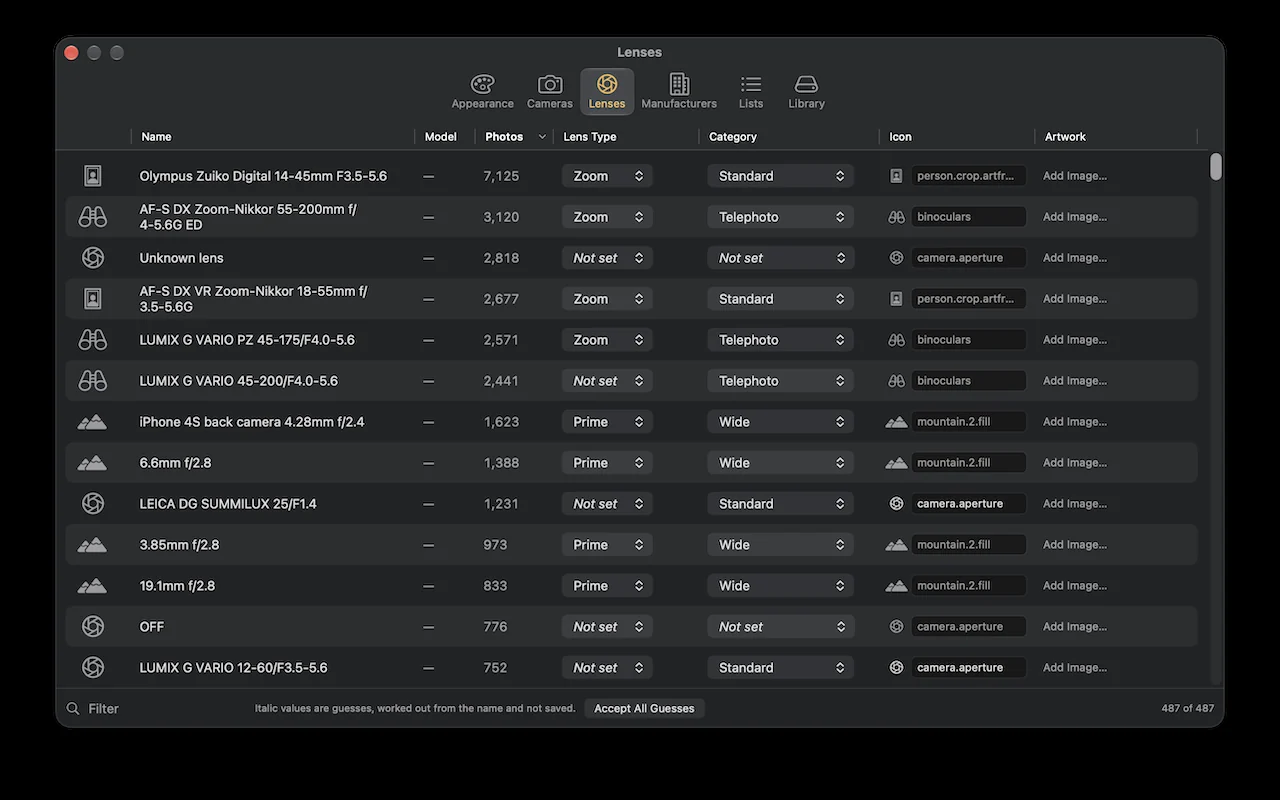
A file knows it came from a DMC-GH3. It doesn't know that's a Panasonic, that it's Micro Four Thirds, or that the Summilux on the front is a standard prime. Camera Shelf guesses all of it from the names, shows the guesses in italics, and lets you accept them in one click or set them yourself. Those tags are what drive the filters and every chart in Insights.
From medium format down to a phone sensor, with a logo per maker.
Plus macro, fisheye and tilt-shift. Every list is yours to edit.
Drop in a picture of the body you actually own and it stands on the shelf, in the viewer, and atop your reports.
This matters more than any feature, so it was audited line by line rather than assumed.
No photo or video is edited, deleted, moved or re-encoded. Not once, anywhere in the app.
Create Album makes an album in Photos and puts existing pictures in it — and only when you type a name and press the button. An album is a container; deleting it removes nothing.
Metadata lives in a photo's header, so the reader stops after about 512KB. It never reads a whole original, let alone writes one.
Access to your Photos library and to files you pick yourself. Nothing else on the disk is reachable. Its own index lives in Application Support.
Every photo gets read once. On a fifty-thousand-image library that is a cup of coffee. After that it only looks at what's new, so later launches are quick.
A picture with no original on this Mac has no metadata to read, so it can't be shelved. Settings › Library counts them and can fetch them, and opening one in the viewer repairs that photo on its own.
Until you add artwork, a camera shows a simple symbol. Photographs of your own gear on a transparent background look best.
Private beta
Camera Shelf is going out to a small group of photographers first, through TestFlight. If you have a library with some history in it and opinions about how gear should be organised, get in touch.
Requires a Mac and the Apple Photos app · Free during the beta